 重庆域名服务热线 :023-61066666 66887777 89082222 重庆域名服务热线 :023-61066666 66887777 89082222 |   |
| 重庆域名服务热线 :023-61066666 66887777 89082222 | |



 Centos安装桌面后在远程终端管理里面无法使用键盘和鼠标的解决办法
发布日期:2016-1-11 14:1:50
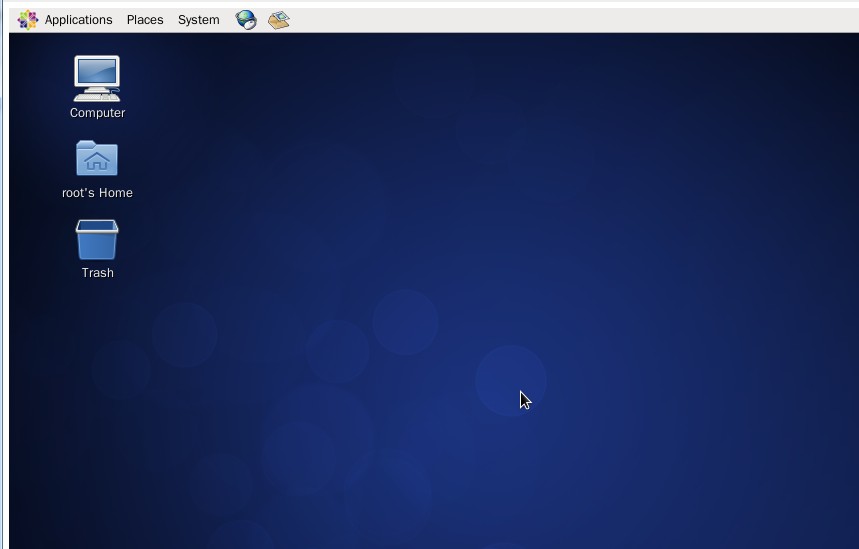
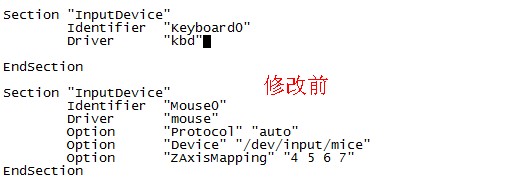
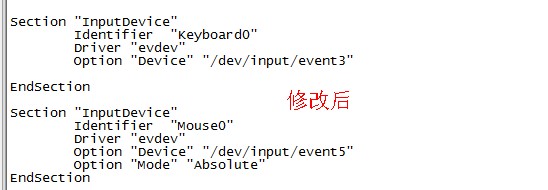
Centos安装桌面可参考链接:https://help.aliyun.com/knowledge_detail/5980327.html?spm=5176.777603913.0.0.LEecUe 安装好桌面以后,通过远程终端管理进去发现鼠标和键盘均无法使用: 这是由于键盘和驱动的原因,改成evdev 即可,具体操作方法如下所示: 1、安装 evdev yum install xorg-x11-drv-evdev 2、生成/etc/X11/xorg.conf 此文件默认是没有的,要通过Xorg -configure 命令生成一个xorg.conf.new,然后把这个文件拷贝到/etc/X11/,并且命名为xorg.conf 3、修改/etc/X11/xorg.conf,配置鼠标和键盘的驱动为 evdev 即可,具体配置如下所示: Section "InputDevice" Identifier "Keyboard0" Driver "evdev" Option "Device" "/dev/input/event3" EndSection Section "InputDevice" Identifier "Mouse0" Driver "evdev" Option "Device" "/dev/input/event5" Option "Mode" "Absolute" EndSection 4、修改好后重启下服务器,重新进入桌面即可使用鼠标和键盘。
|




 业务QQ:
业务QQ:  联系电话: 023-61066666 66887777 89082222
 离线联系: 13452888882 13452888883 13452888886
  备案专线: 023-60887777 备案专员QQ:
 联系地址: 重庆市九龙坡区石桥铺一城精英国际40层17号 Copyright © 重庆典名科技有限公司 023dns.com All Rights Reserved